Features
Bunny Ears TV isn't a wrapper around Plex. It's a completely new way to experience your library. Local playback, DVR controls, 350+ channels, and a program guide that makes it all feel like real television.
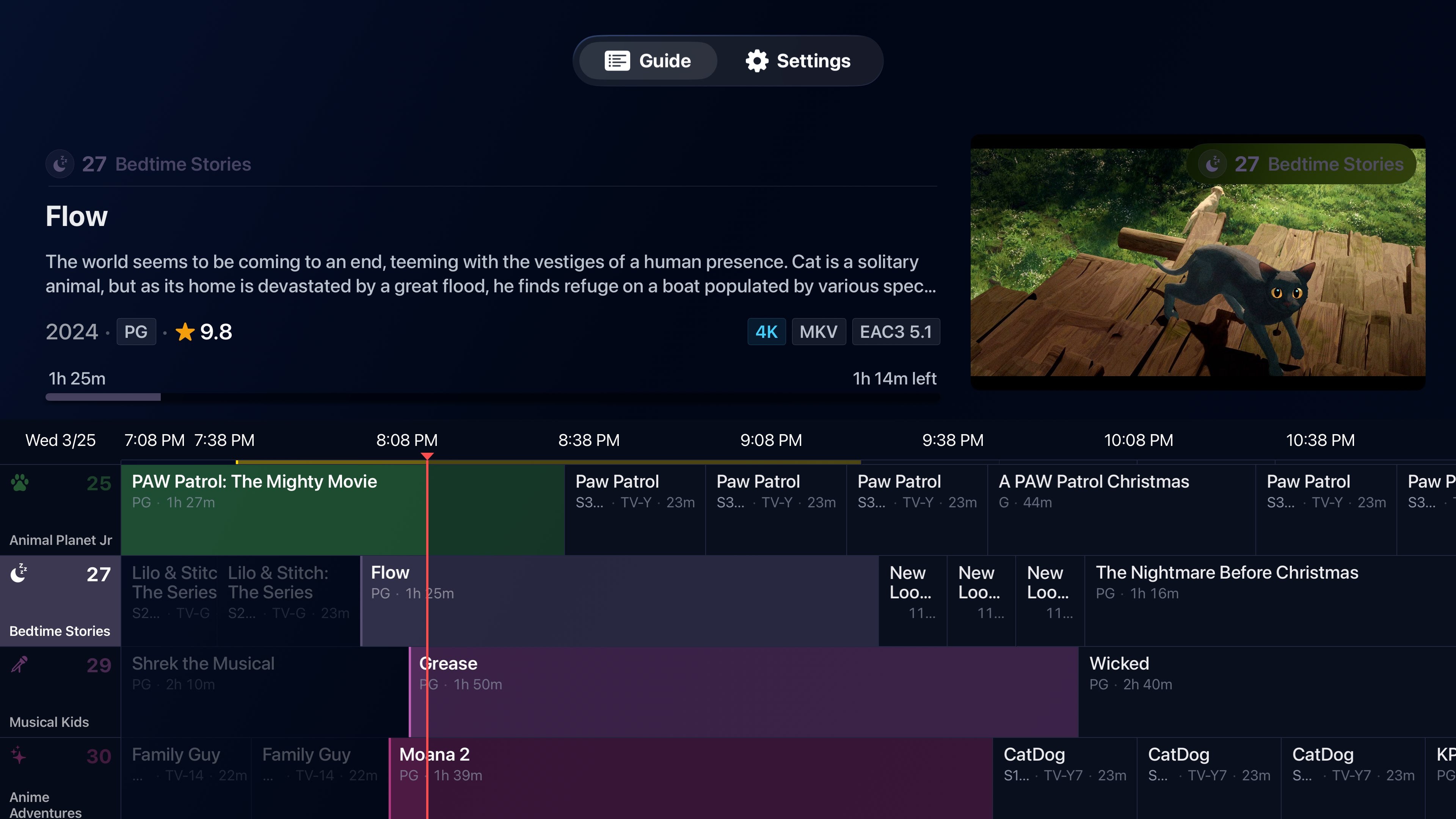
A Broadcast-Quality Program Guide
Obsessive attention to every pixel.
The guide is the heart of the app. A broadcast-style grid shows what's on now, what's next, and what's playing across every channel. Media badges let you know at a glance whether something supports 4K, HDR, surround sound, or other formats before you commit. Long press any channel to quickly filter the guide by package, or favorite channels so you can find them fast. Preview show details, ratings, and age ratings without leaving the guide. And when you flip channels, retro TV static fills the gap instead of a boring loading spinner.
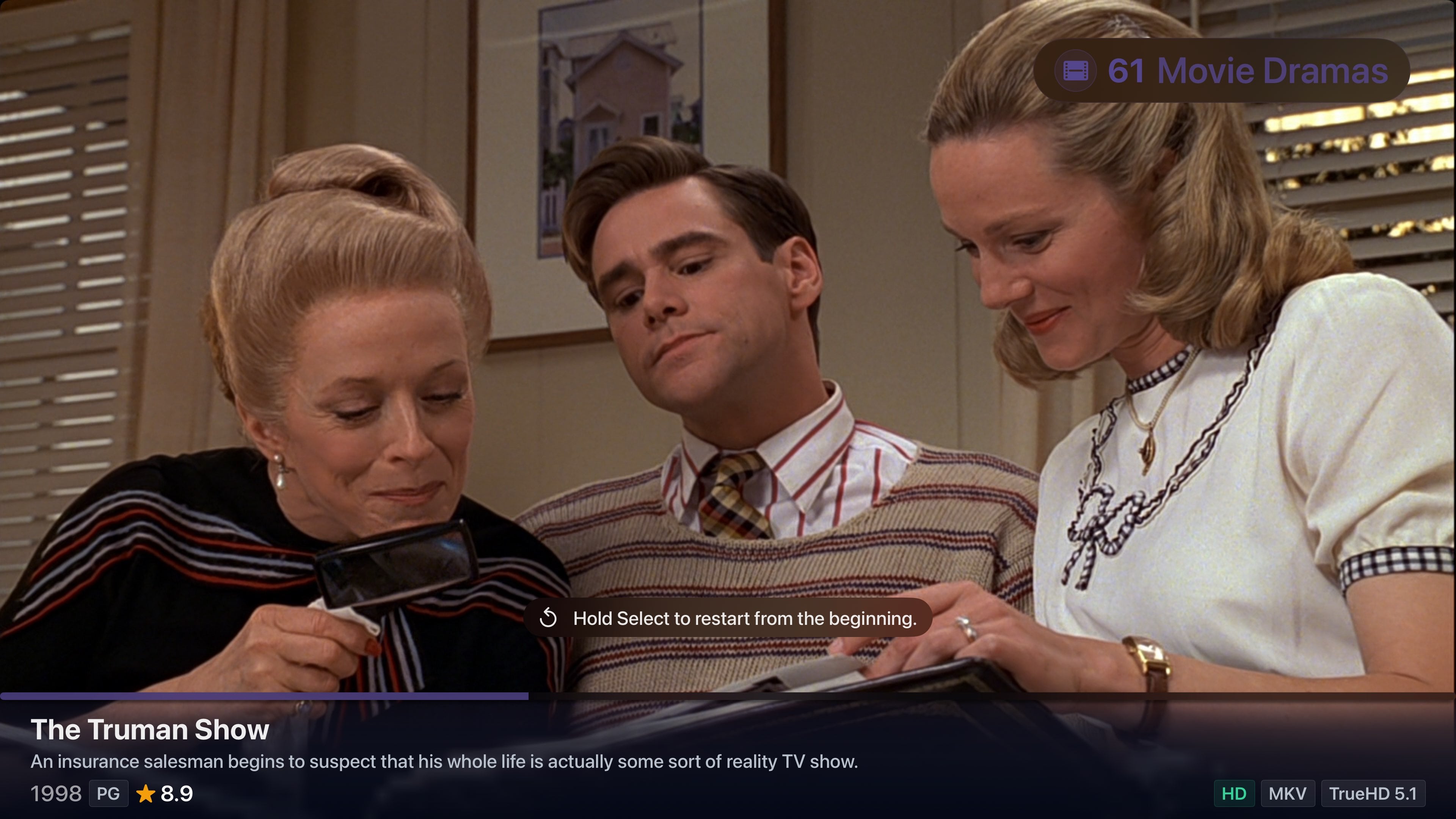
350+ Channels. Endless Discovery.
Your library is bigger than you think.
Bunny Ears TV ships with over 350 curated channels across 18 packages, from comedy and drama to horror, anime, documentaries, kids content, director spotlights, franchise zones, studio collections, and dozens more. Channels are generated in about 30 seconds using deep metadata filters, so the time from download to watching is almost nothing. You choose which channel packages show up in your guide, so you only see what you care about. Every channel stays true to its theme because the filtering engine considers genre, content rating, media type, decade, audience score, keywords, directors, actors, studios, and more. No random mismatches, no genre drift. Just a massive lineup that helps you rediscover things you forgot you had.
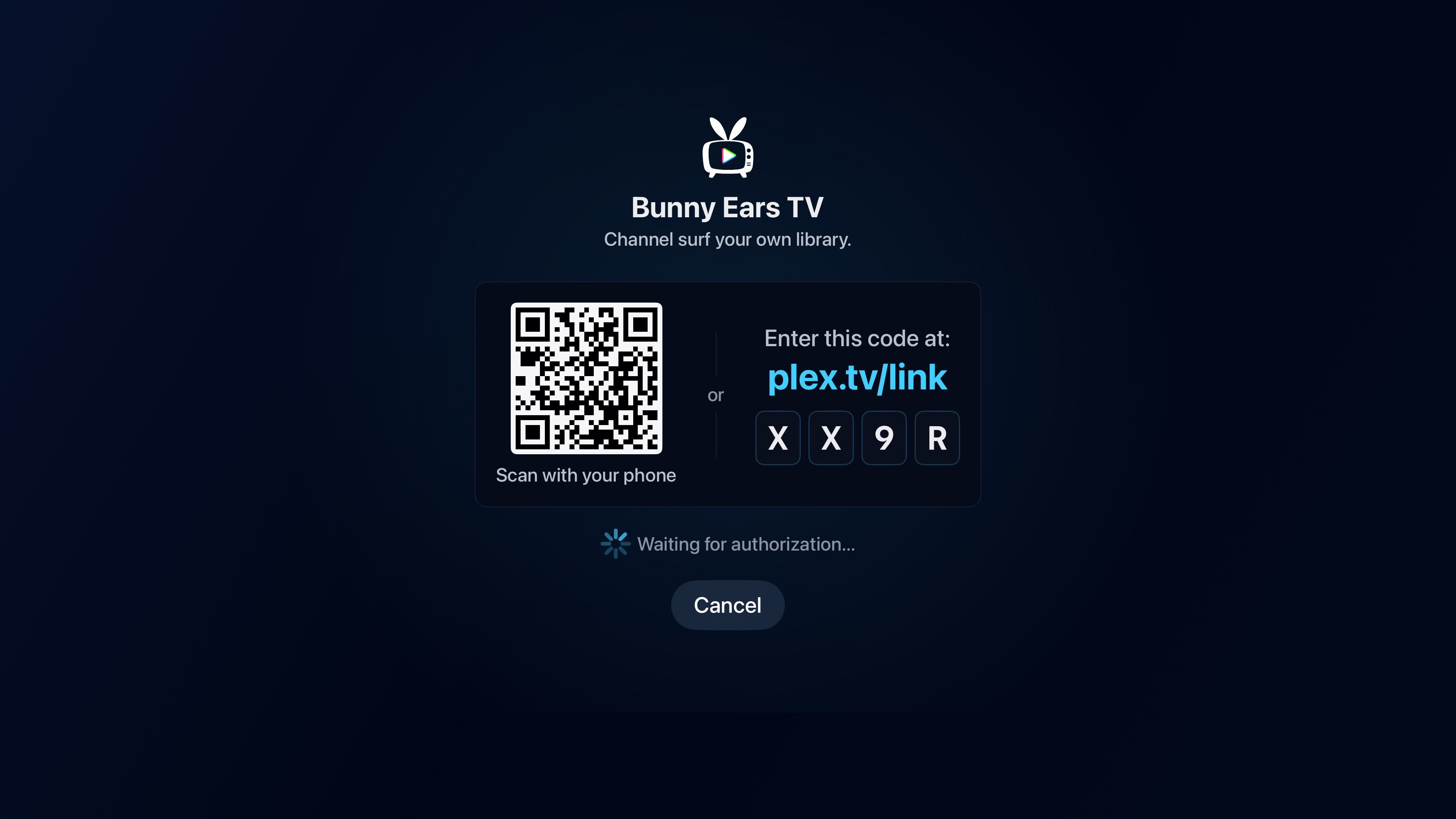
Sign In. Sit Down. Start Watching.
From download to live TV in under a minute.
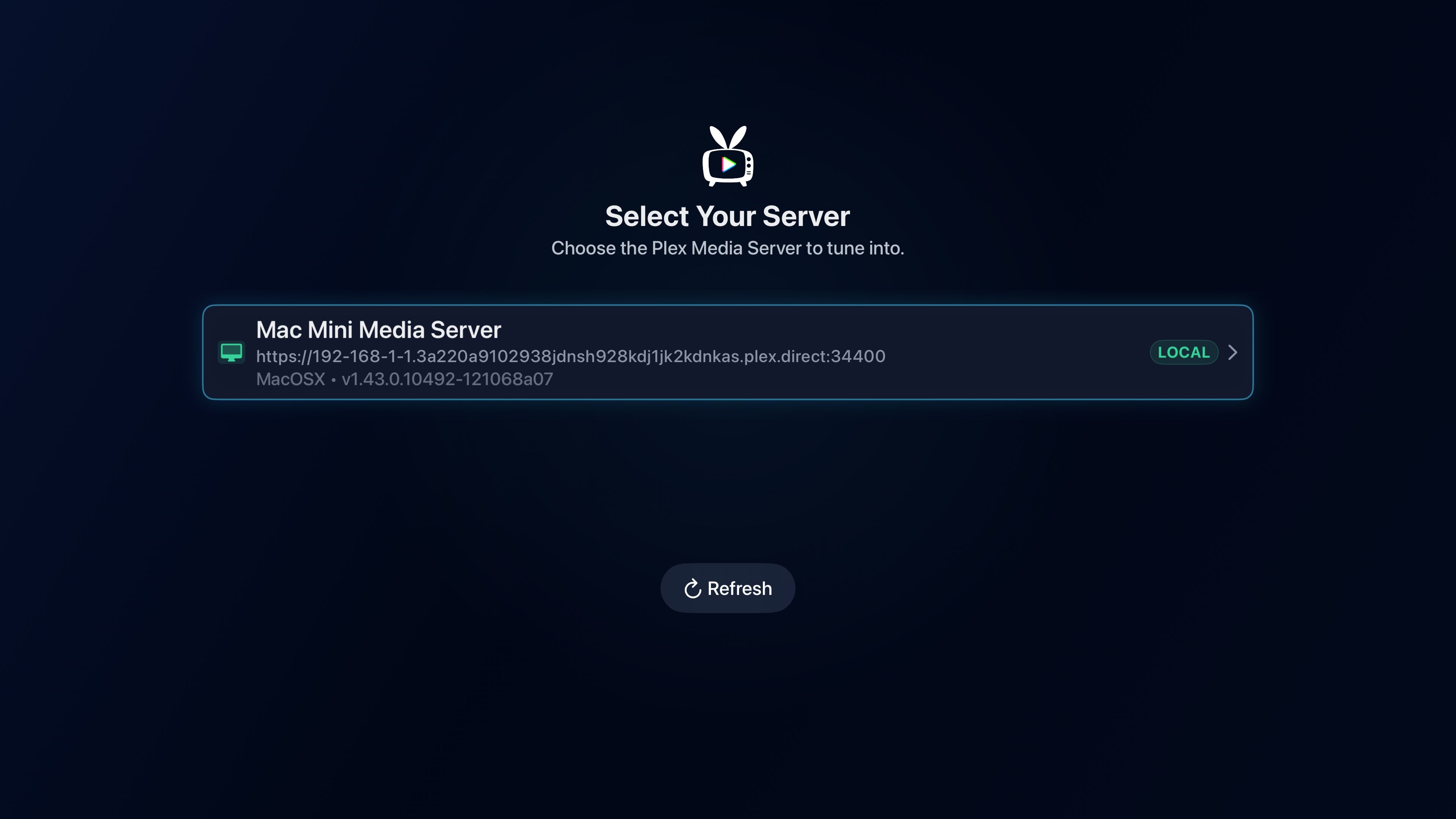
Open the app and you're greeted with a QR code or a simple 4-digit code. Scan it with your phone or punch the code in at plex.tv/link, and your Plex account connects instantly. Your servers show up automatically. From there, Bunny Ears TV scans your library and generates every channel in about 30 seconds. No IP addresses to look up, no server URLs to type, no settings to configure. You sign in with the Plex account you already have and the app handles the rest. The next thing you see is the guide, fully loaded and ready to go.
Play Anything. Locally.
Your Apple TV does the heavy lifting.
Bunny Ears TV decodes media directly on the Apple TV's hardware instead of relying on your Plex server to transcode. That means your server stays free to handle other streams, and playback is snappier because everything is processed locally with in-memory caching. The playback engine supports a massive range of video and audio formats, powered by Apple's Metal framework and FFmpeg 8.1. That includes full support for 4K, HDR, HDR10, HDR10+, and Dolby Vision. Whether it's an MKV, AVI, HEVC, or something more obscure, odds are it just plays.
DVR Controls
Pause live. Rewind the good parts.
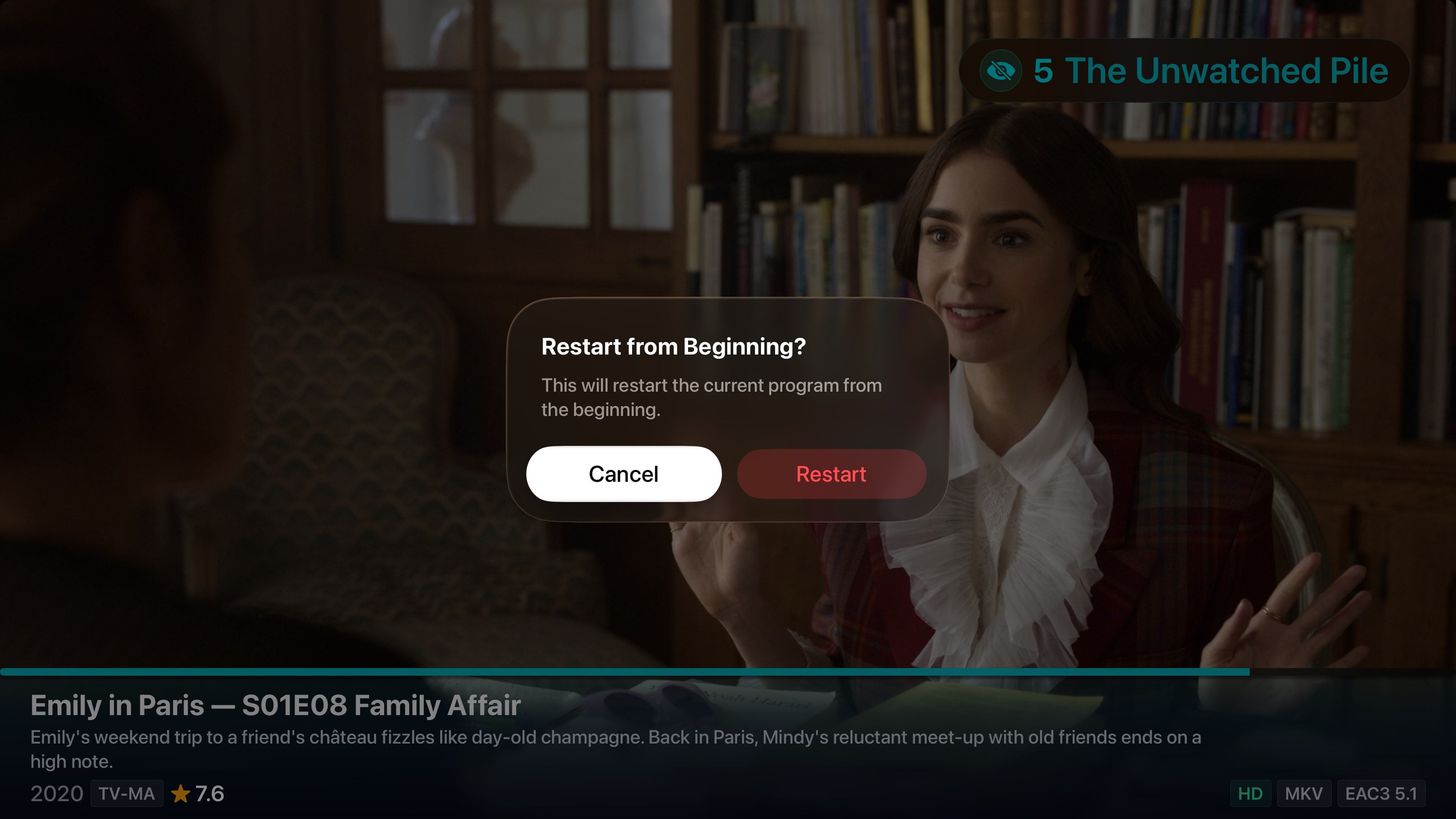
Turn on optional DVR mode and suddenly your channels feel even more like real TV, except better. Start a show from the beginning even if you tuned in late, rewind to catch something you missed, fast forward through the slow parts, or pause when life interrupts. Because media is decoded and cached locally on the Apple TV, DVR functions are fast and responsive. No waiting on the server, no buffering. It all happens in memory on the device itself.
Built for Apple TV
Native. Polished. Feels like it belongs.
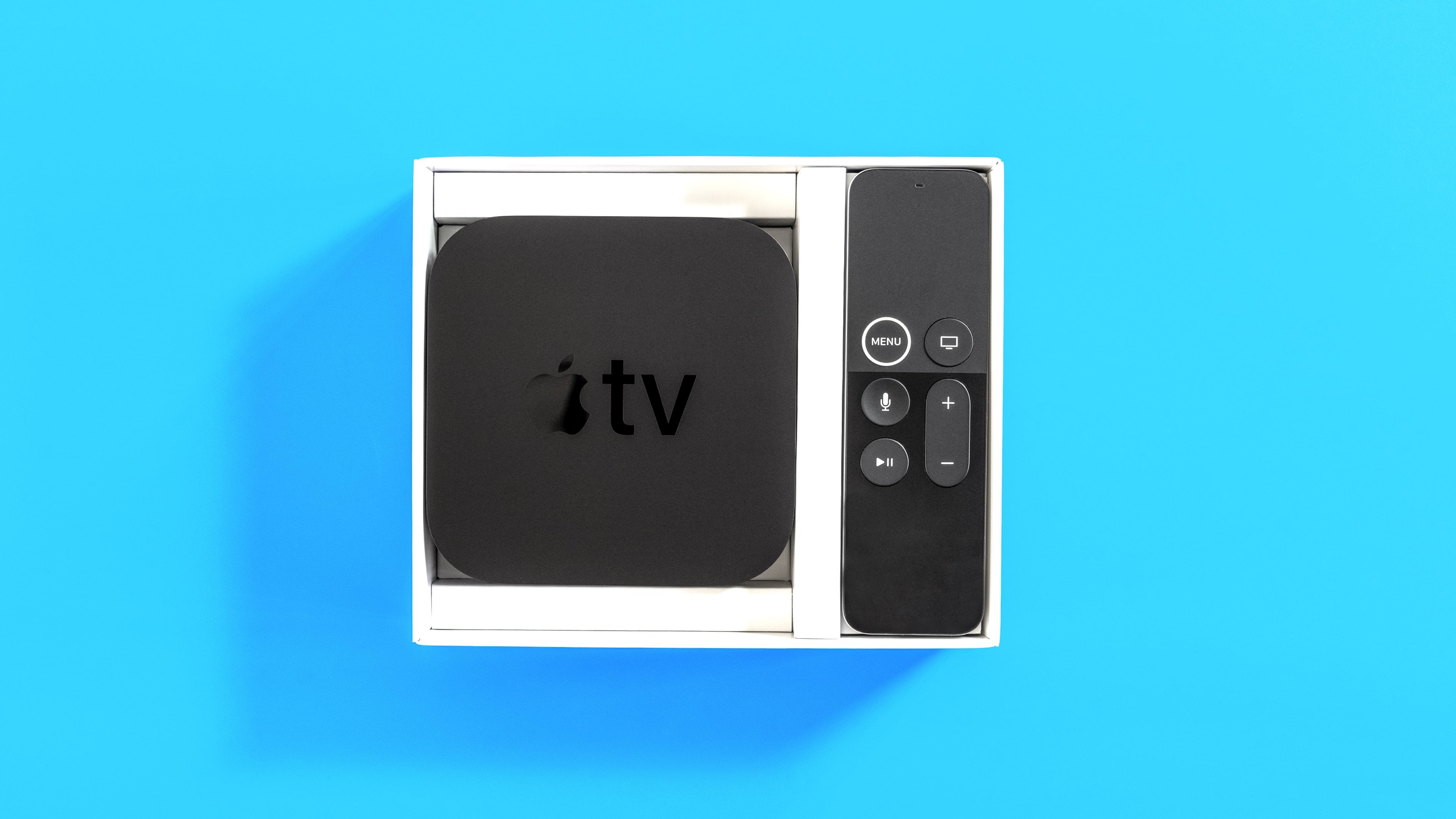
Bunny Ears TV is a native tvOS app, written in Swift, and designed to feel like it shipped from Cupertino. Every interaction is built for the Apple TV remote: swipe to browse, click to tune in, and navigate the guide with the same fluidity you expect from first-party apps. The iOS and iPadOS Remote app works too, with added functionality like changing channels and jumping between the guide and full-screen TV from your phone or iPad. The entire UI is unit tested, performance tested, and thoroughly thought through for UX. It's the kind of detail you notice because everything just works.
68 Music Stations
Your music library, always on the air.
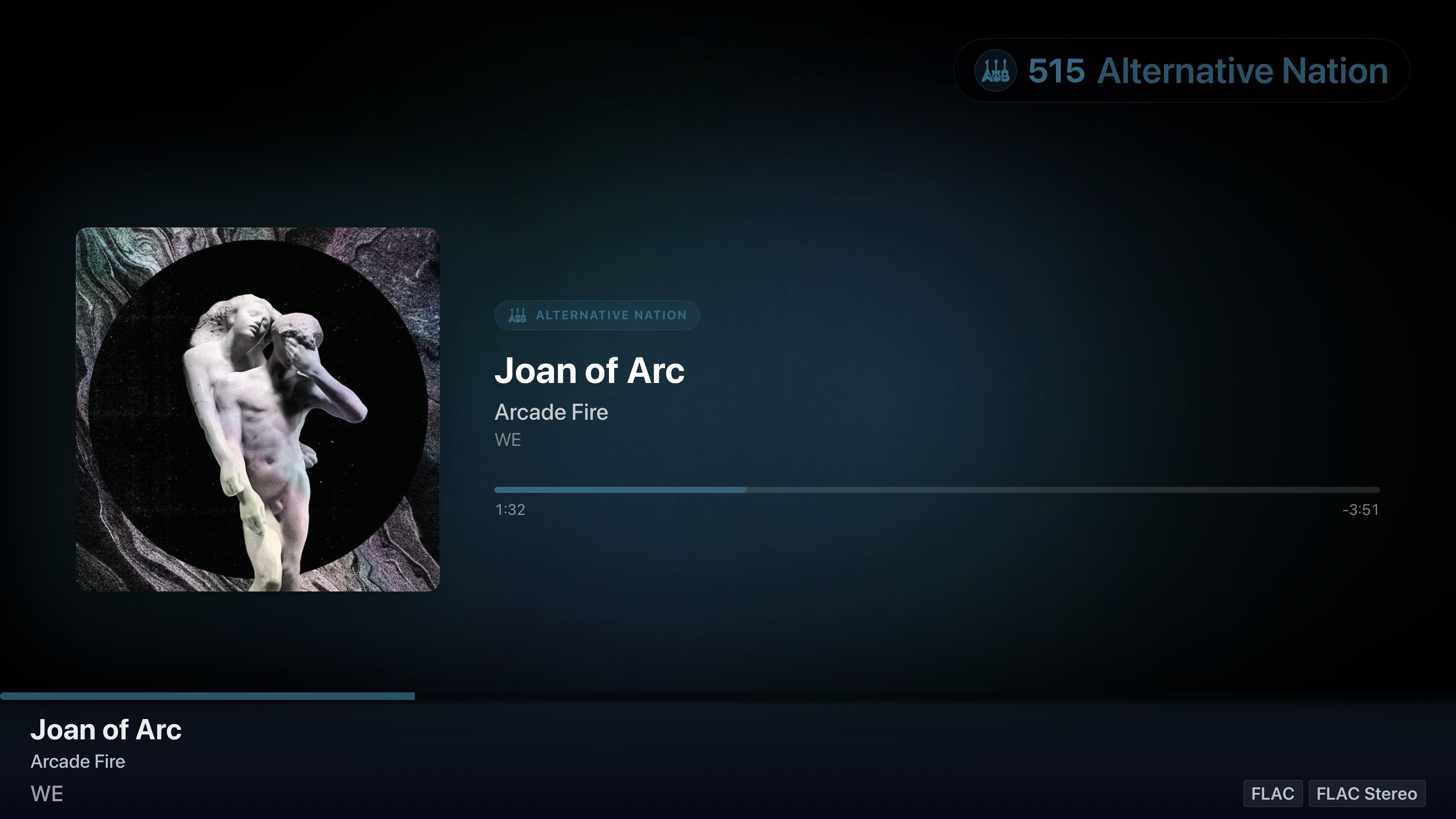
Dedicated music-only stations pull directly from your Plex music library and organize everything into genre-based radio. Jazz, rock, electronic, classical, ambient, decades mixes, and dozens more, all ready to play. Music stations support high-fidelity audio formats including FLAC and Apple Lossless, so your collection sounds the way it was meant to. Perfect background audio for dinner parties, work sessions, or just filling the room with sound the way radio used to.

Family and Friends Welcome
Share the couch, even from across the country.
Bunny Ears TV works on your local network and over the internet. Family and friends can tune in from anywhere after Plex server owners enable Remote Access and send invites through Manage Remote Access. Everyone gets the same channel lineup and program guide experience. Sign in with your existing Plex account and your servers show up automatically. No IP addresses, no manual setup. One tap and you're watching.
Closed Captions and Language Settings
Watch it your way.
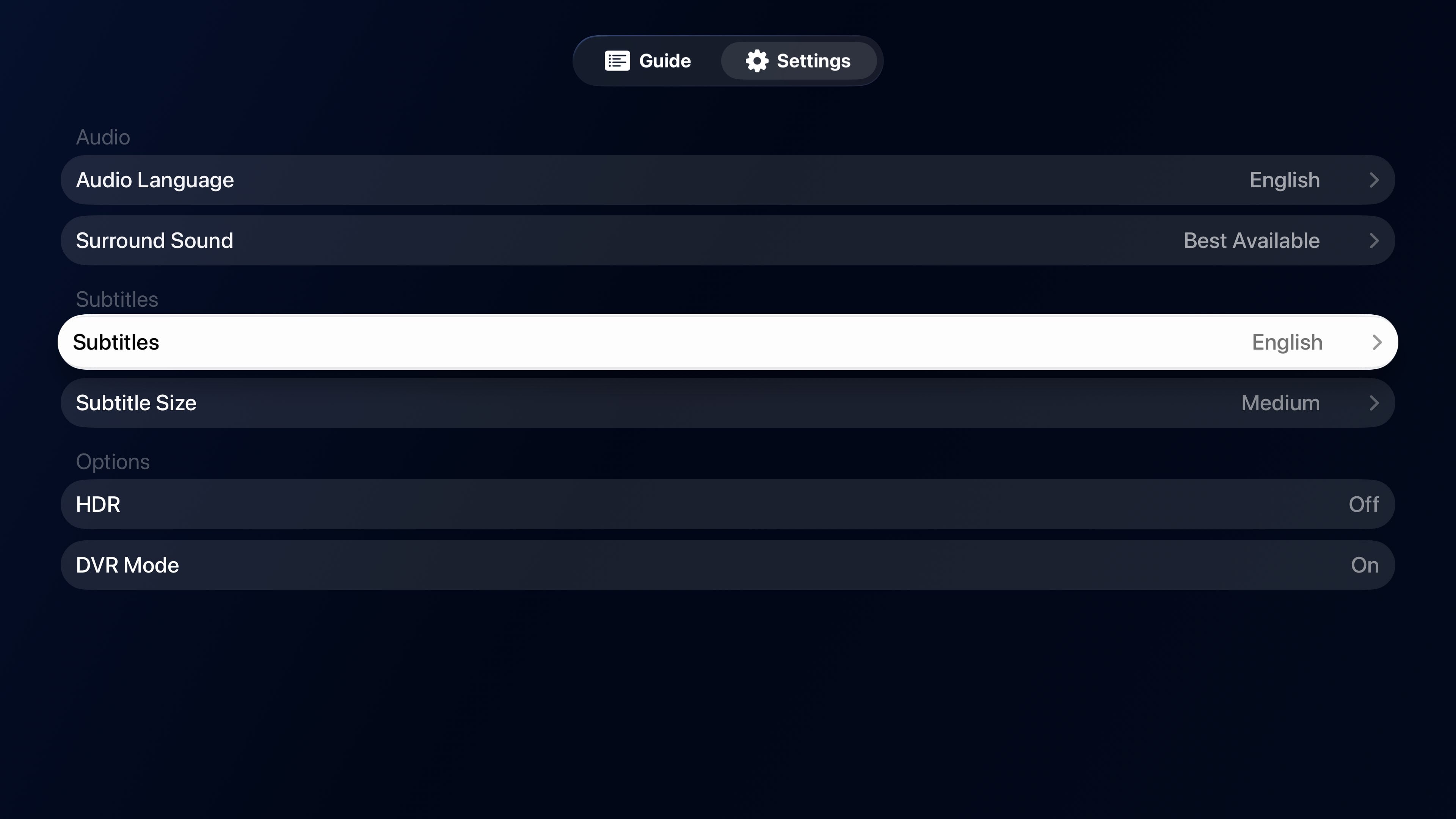
Full support for closed captions, subtitles, and language tracks. Choose your preferred subtitle language, switch audio tracks on the fly, and customize how captions appear on screen. Whether you're watching foreign films, need accessibility options, or just prefer subtitles on while the kids are sleeping, it's all built in and easy to access.
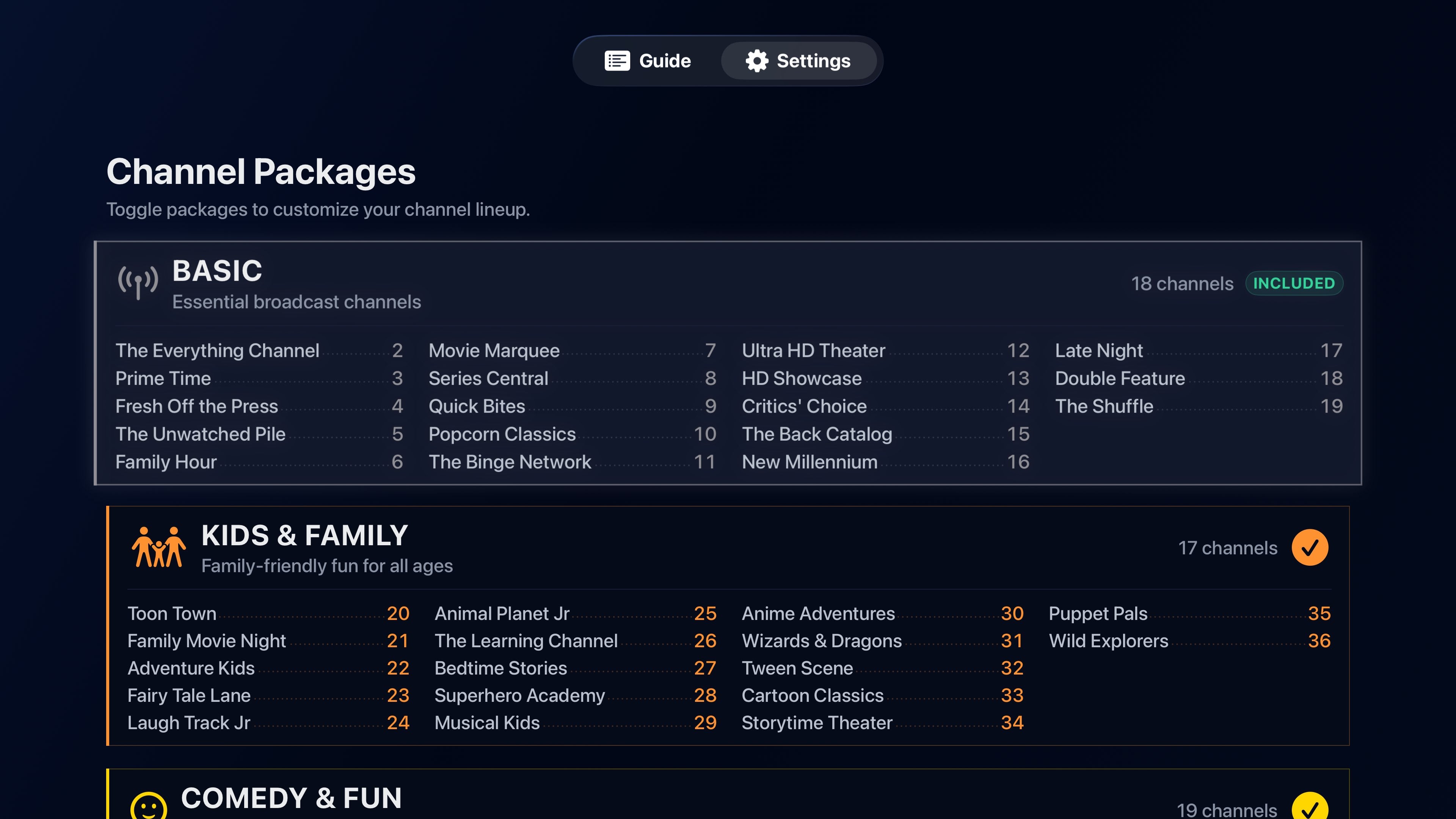
Channel Packages and Pricing
Start free. Stay free. Or go all in.
Everyone gets a full 14-day trial of every channel package, no credit card required. After the trial, Basic channels stay free forever. Paid plans unlock the full lineup: pick a monthly subscription, a discounted yearly plan that directly supports continued indie development, or a one-time lifetime purchase if you prefer to just own it outright. You choose which packages appear in your guide, so you only pay for what you actually want to watch.
Plex Alone vs. Plex + Bunny Ears
You already have the best content. Here's what Bunny Ears TV adds to the experience.
| Feature | Plex Alone | + Bunny Ears TV |
|---|---|---|
| Browse and play media | ✓ | ✓ |
| 350+ themed channels across 18 packages | — | ✓ |
| 68 hi-fi music stations | — | ✓ |
| Sign in with Plex, ready in seconds | — | ✓ |
| Broadcast-style program guide | — | ✓ |
| Local playback with no transcoding | — | ✓ |
| 4K, HDR, HDR10+, and Dolby Vision | — | ✓ |
| DVR: rewind, fast forward, pause, restart | — | ✓ |
| 4K/HDR/surround sound media badges | — | ✓ |
| Channel surfing with retro static | — | ✓ |
| Closed captions and language tracks | ✓ | ✓ |
| Apple TV and iOS/iPadOS Remote support | ✓ | ✓ |
| Remote access for family and friends | ✓ | ✓ |
| Lean-back TV experience | — | ✓ |
| Free tier, forever | ✓ | ✓ |
The Ultimate Seal of Approval
I just want to say that this is literally a game changer. My wife is now using this every single day. She has nothing negative to say. This is so cool.
An actual Bunny Ears TV user, reporting from the living room.